
How to Connect an Anki Remote to Mac (and Fix It When It Won't)
"How do I connect my Anki remote to my Mac" has a slightly annoying answer: it depends which kind of remote you mean, and Mac has one extra wrinkle that Windows doesn't. This guide covers both paths, the exact Bluetooth pairing steps per controller, and what to do when macOS just won't see the thing.
Two ways to connect (pick one)
| Contanki (native gamepad) | Keyboard Mode | |
|---|---|---|
| Pair the pad as | A controller (X-input mode) | A keyboard (Keyboard Mode) |
| What reads it | The Contanki add-on in Anki | Anki directly — once the pad is remapped to type 1/2/3/4/Space (the Zero 2's keyboard mode sends letters by default) |
| Karabiner-Elements? | No | Only if you want to remap the keys it sends |
| Best for | Full control + per-screen mappings | Dead-simple grading; also works on iPhone/iPad |
Most people should start with Contanki — it reads the gamepad natively, so there's nothing to map. Keyboard Mode is the fallback (and the only path that also works in iOS). The rest of this guide sets up both.
Step 1: Pair the controller over Bluetooth
macOS pairs game controllers like any other Bluetooth device — the trick is putting the pad in the right mode first, because the mode decides whether Anki sees a gamepad or a keyboard.
On an 8BitDo Zero 2 (the popular pocket pad), the moves are:
- Power the controller off.
- For Contanki / gamepad: hold the pad's X-input combo (usually
Start + X— check your model's manual). For Keyboard Mode: power on holdingStart + R, then holdSelect— the light flashes faster. - Open System Settings → Bluetooth on the Mac.
- Connect to the controller when it appears. In Keyboard Mode it shows up as "8BitDo Zero 2 keyboard"; a solid light means it's paired.
Xbox / PlayStation / Switch Pro pads pair the normal way (hold the pair button until the light blinks, then connect in Bluetooth settings) and work with Contanki out of the box — no mode-switching needed. The mode dance is an 8BitDo thing.
Path 1: Contanki (native, no Karabiner)
If you paired in gamepad mode, this is the whole setup:
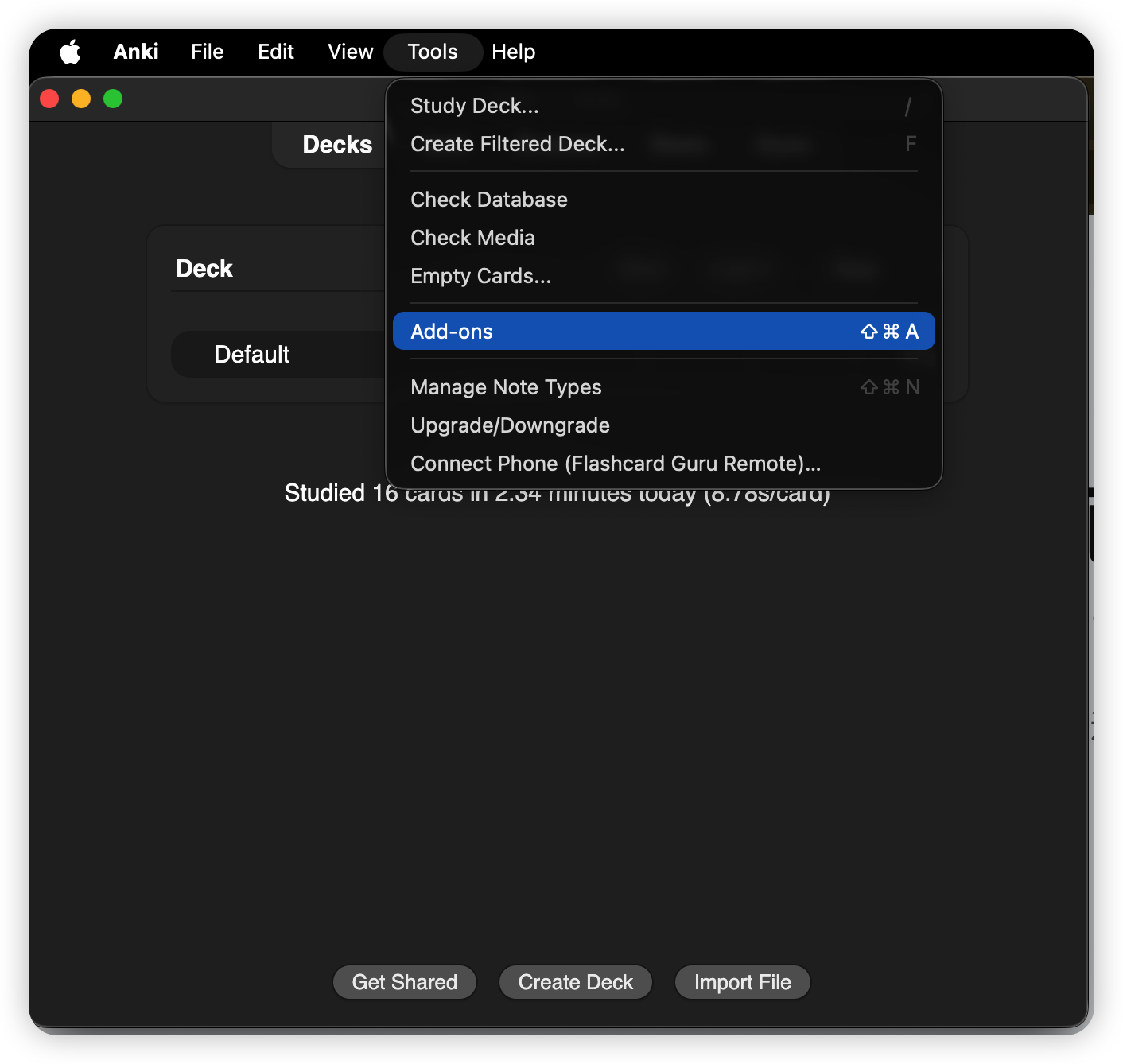
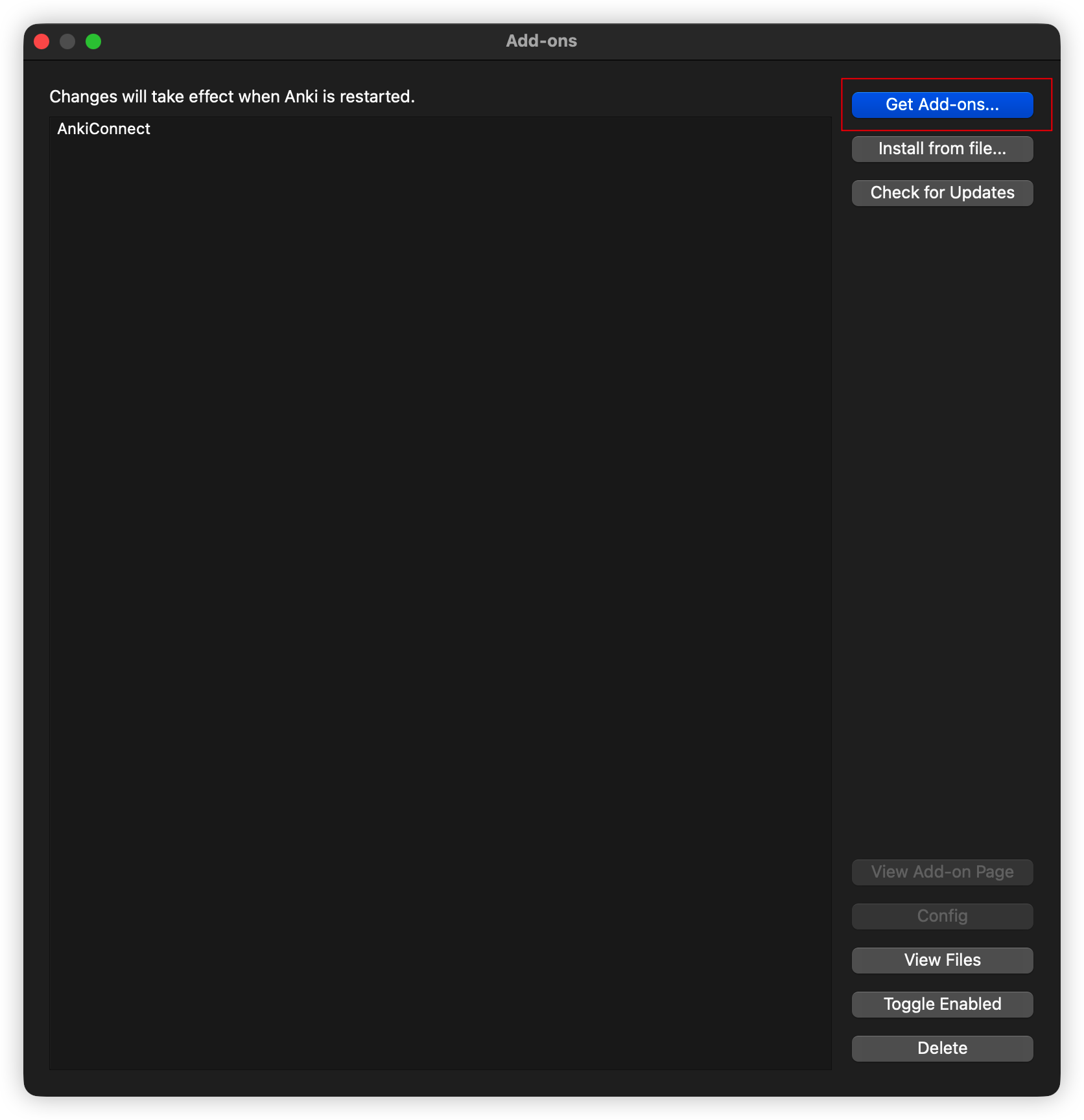
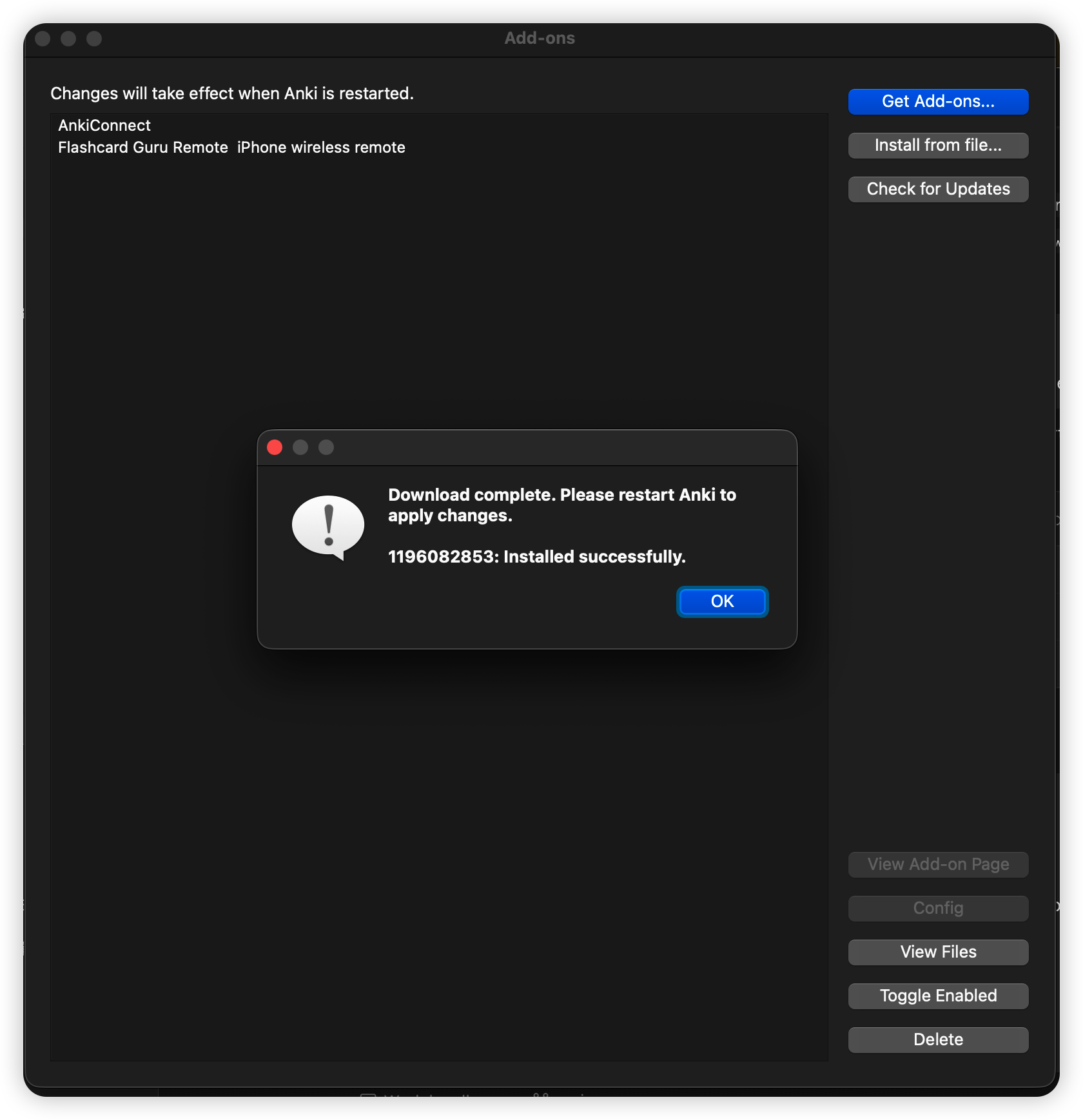
- In Anki open Tools → Add-ons → Get Add-ons… and paste code
1898790263. Restart Anki. - Press any button on the pad — Contanki wakes and shows the on-screen bindings.
- If it doesn't see an 8BitDo, run Tools → Controller Options → Detect 8BitDo Controllers.
That's it — no Karabiner, no keyboard remapping. Full walkthrough and button-mapping tips are in the Contanki setup guide.
Path 2: Keyboard Mode (and where Karabiner fits)
If you paired in Keyboard Mode, the controller just types keys — and Anki already listens for those, so grading works with zero add-ons:
1 / 2 / 3 / 4→ Again / Hard / Good / EasySpace→ Show Answer ·Z→ Undo ·R→ Replay audio
You only need Karabiner-Elements if a button sends the wrong key and you want to remap it (say, map the pad's A to Space). Karabiner intercepts the keystroke and rewrites it — it's a key remapper, not a driver. After installing it, macOS will ask you to allow it in a system-settings prompt; grant that or it won't intercept anything. If you're happy with the default keys, skip Karabiner entirely.
Anki remote not connecting to Mac? Work down this list
Nine times out of ten it's the pairing mode, not the Mac. In order:
- Wrong mode. A pad in Keyboard Mode won't show up to Contanki as a gamepad, and vice-versa. Re-pair in the mode your path needs (gamepad for Contanki, Keyboard for the shortcut path).
- Anki isn't listening yet. Contanki sleeps until it sees input — press any button after opening Anki.
- 8BitDo not detected. Run Tools → Controller Options → Detect 8BitDo Controllers.
- It paired, then dropped. Only one controller can be active at once; pairing other Bluetooth gear can bump it. Forget the device in System Settings → Bluetooth, restart, and re-pair fresh.
- Keys do nothing (Keyboard Mode). If you added Karabiner, confirm you granted its input-monitoring permission in the macOS prompt. Some locked-down exam apps also block Karabiner — quit them first.
- Still nothing. Make sure Anki is 2.1.66+ (Contanki requires it) and the controller has charge.
Reviewing on iPhone or iPad too?
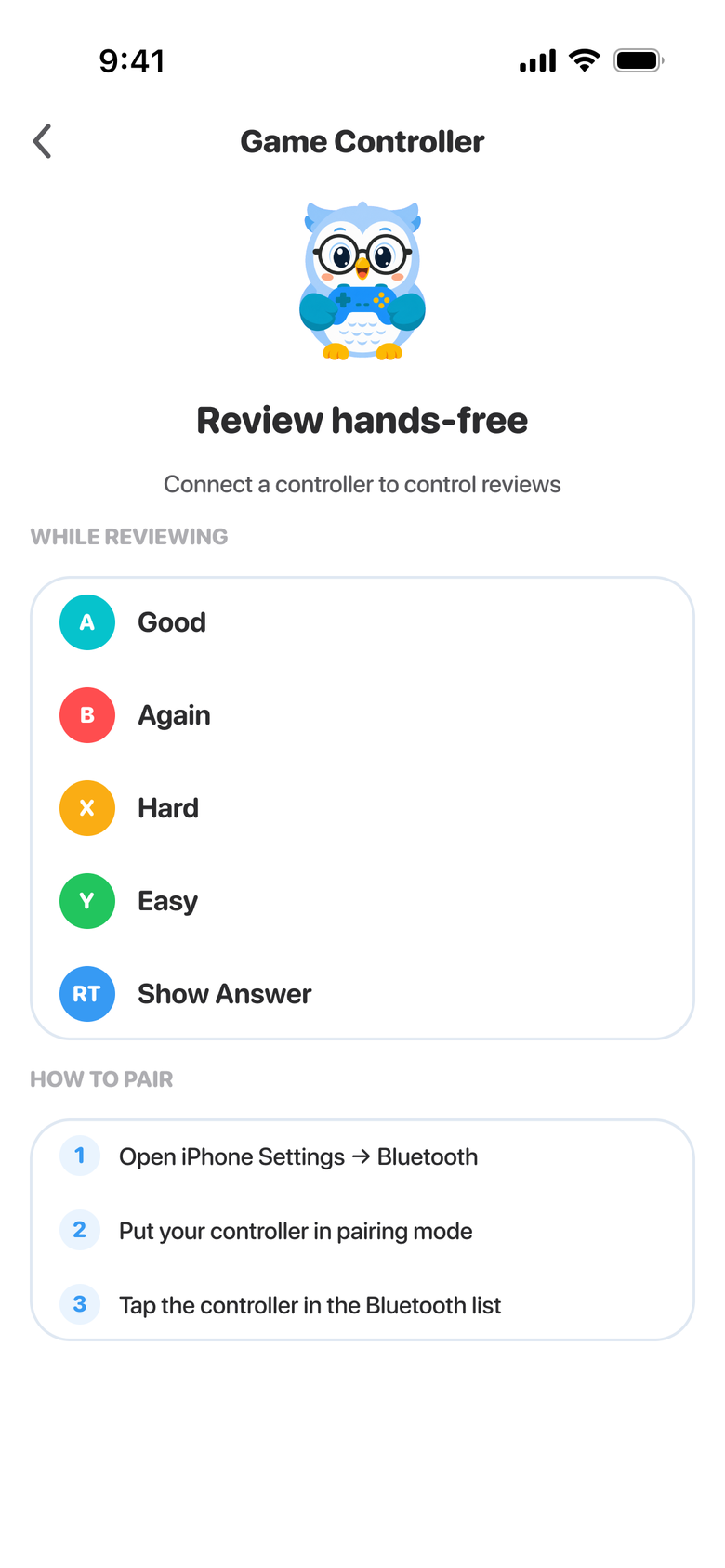
Contanki is desktop-only, and AnkiMobile accepts the small 8BitDo pads only in one mode (Mac mode with a digital D-pad on the Zero 2, S mode on the Micro), because it reads Apple's GCExtendedGamepad profile and nothing else. To grade cards hands-free on iOS, put the pad in Keyboard Mode and use the Guru Anki Remote, which listens for both gamepad and keyboard events and forwards the grade to desktop Anki over Wi-Fi — so the same pad drives your Mac reviews from your phone. Details in the 8BitDo setup guide.
FAQ
Do I need Karabiner-Elements to use a controller with Anki on Mac? No — not for Contanki (it reads the gamepad natively) and not for basic Keyboard Mode grading (Anki already reads those keys). Karabiner is only for remapping keys the controller sends.
Why won't my 8BitDo connect to my Mac? Almost always the pairing mode. Power the pad off and re-pair in the mode your path needs — X-input for Contanki, Keyboard Mode for the shortcut path — then, for 8BitDo, run Detect 8BitDo Controllers in Anki.
What's the pairing combo for the 8BitDo Zero 2?
Powered off, hold Start + R and then Select for Keyboard Mode; use your model's Start + X-style combo for X-input (gamepad) mode. Then connect it in System Settings → Bluetooth.
Does this work on Apple Silicon Macs? Yes — Contanki and Bluetooth pairing work the same on Apple Silicon and Intel Macs.
Take your Mac reviews hands-free
Pair a cheap controller in Keyboard Mode and drive desktop Anki from your iPhone with the free Guru Anki Remote — including the 8BitDo models AnkiMobile won't take.
Set up the Anki Remote